 SoloRack
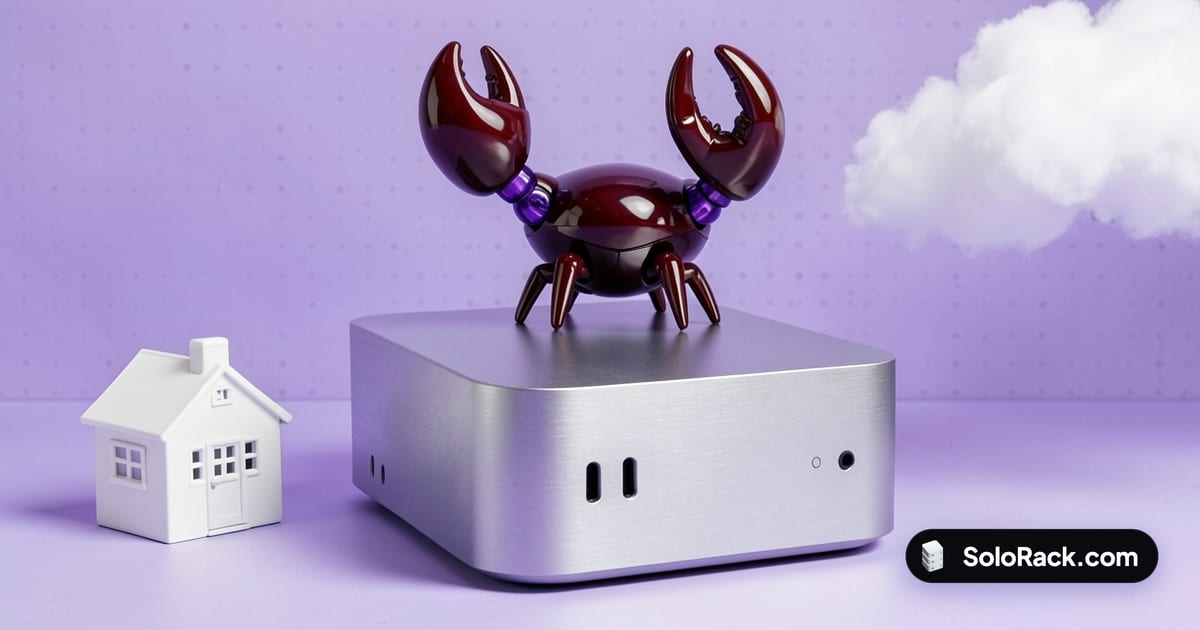
You have decided to run OpenClaw, the open-source personal AI agent. The next question is where its Gateway should live, because the agent is only as available as the computer under it. There are three realistic hosts: a Mac mini you buy and keep at home, a Mac mini you rent in the cloud, and a generic Linux server.
This article goes through all three with facts from OpenClaw’s own documentation and Apple’s official pages, then does the buy-or-rent sum in the open. The short version: a dedicated Mac mini rented from SoloRack gives you the computer OpenClaw gets the most out of, already switched on, for $112 a month.
What OpenClaw needs from its host
On paper, not much. The Gateway is a Node.js program, and the install page lists macOS, Linux and Windows as supported systems. It installs itself as a background service that starts on its own: a LaunchAgent on macOS, a systemd user service on Linux. For a server, the FAQ gives 1 vCPU and 1 GB of RAM as the absolute minimum and recommends 2 GB or more, with a note that node tools and browser automation can need a lot more.
What the docs care about is something else: the host should stay on. They recommend a dedicated machine for reliability and isolation, and they say what to expect on a computer you also use for everything else: the agent pauses whenever the machine sleeps or updates.
So any computer that is always on can run the Gateway. The hosts differ in what the agent can do once it is running.
What a Mac adds
The OpenClaw FAQ puts it plainly: you need a Mac only for the macOS-only tools. In the docs and the official repository, those are:
- The macOS app. OpenClaw.app is a menu bar companion with native notifications, a chat window, Quick Chat on Option-Space, voice input and the macOS permission prompts. It needs macOS 26.2 or later.
- macOS-only skills. The bundled skills for Apple Notes, Apple Reminders, Things, Bear and Peekaboo are marked for macOS. They load when the Gateway host is a Mac.
- Control of Mac apps. Through Peekaboo, the agent can take screenshots, click, open menus and manage windows, using the permissions you gave the macOS app.
- iMessage. The iMessage channel works through a Mac that is signed in to Messages. The docs also describe a Gateway on another machine that reaches that Mac over SSH.
- Apple’s own tools. On macOS the agent can build and test Xcode projects, run Shortcuts and AppleScript automations and use every macOS command-line tool.
This is why the same FAQ calls the Mac mini “a popular always-on host choice”: it is the smallest Mac that can stay on all day. Apple says so too. Its announcement of the M6 model presents the Mac mini as a desktop for AI agents that never switch off.
Option 1: buy a Mac mini and keep it at home
Apple’s price for the Mac mini with M6 starts at $899 in the US, before sales tax. That is the base model, with 16 GB of memory and a 256 GB SSD. The box contains the Mac mini and a power cord, so the display, keyboard and mouse for the first setup are extra if you don’t own them.
Then the Mac has to live at your place, switched on around the clock:
- Power. Apple’s specifications list a maximum continuous power of 155 W. Whatever it draws, it draws on your bill, day and night. When the power goes out, the agent is offline until it comes back.
- Home connection. The agent shares the line with everything else in the house. To open its dashboard from outside, the docs tell you to keep the Gateway private and go through an SSH tunnel or a private network, which you set up and look after yourself.
- Someone on the spot. A macOS update, a frozen system, a cable knocked out: each one needs a person at home.
- All the money on day one. If the agent turns out not to be for you after two months, you own an $899 computer.
Option 2: rent a dedicated Mac mini in the cloud
This is what SoloRack does. We buy the Mac minis, keep them powered and connected, and rent each one to a single customer. For OpenClaw, that means:
- A whole Mac mini M6, yours alone. Apple M6 with a 12-core CPU, 16 GB of memory, a 256 GB SSD and a 1 Gbit/s connection, in the datacenter closest to you among those available when you book. One customer per Mac, never a shared virtual machine.
- Full macOS with admin rights. You get your own macOS administrator account. The Gateway host is a Mac, so the menu bar app and the macOS-only skills install as on any Mac, and the agent works with Xcode, Shortcuts, AppleScript and the macOS command line.
- Ready for the Gateway. Node.js comes pre-installed, with Python and VSCodium, so OpenClaw installs in a few minutes. Your Mac is usually ready in My account within 5 minutes of payment.
- Remote desktop and SSH. From Windows, macOS or Linux. Remote desktop shows the full macOS desktop, which is handy for the menu bar app. SSH gives you the terminal and a private tunnel to the dashboard.
- Always on, and back by itself. The Mac stays powered in the datacenter. After a restart from My account it logs back in to your session and the Gateway starts again.
- Allowed in writing. Our acceptable use policy names AI agents such as OpenClaw, running around the clock for your development and automation work.
- No copies kept. When a rental ends, your account and your files are erased, and nobody can recover them, not even us. The reminders tell you in time to download your agent’s files first.
- Real people when you need help. Support by email and live chat is answered by people from our support team.
The price is $112 a month, VAT included where it applies, which works out at $3.73 a day. Longer plans cost less per month: 3 months save 5% and 6 months save 10% on the monthly price. Start with the monthly plan. It renews on its own until you turn renewal off in My account, so you can try OpenClaw on a real Mac and stop when you like. Our Mac mini hosting guide explains the service in detail.
Option 3: a generic Linux server
The docs say the Gateway is supported on Linux, with Ubuntu LTS as the best-tested install path, and that chat channels such as Telegram, Discord, Slack and WhatsApp work from a server. They also say what is different there:
- No screen. A server is often headless: the agent works from screenshots, not a visible browser window, and you reach its files only remotely.
- No macOS app. OpenClaw.app is a Mac application, and its Skills screen is not available on Linux.
- No macOS-only skills. Apple Notes, Apple Reminders and Things do not load on a Linux host. To use them, the FAQ has you pair a Mac as a node, or override the skill and forward its commands to a Mac over SSH.
- No iMessage on its own. The channel needs a Mac signed in to Messages.
- No Apple tools. Xcode, Shortcuts and AppleScript exist only on macOS.
Put simply, a Linux server runs the Gateway and the chat channels, and for everything Apple you still need a Mac next to it. With a Mac mini as the host, it is one machine and there is nothing to wire together.
Buy or rent: the break-even
Two official prices go into the sum: Apple’s $899 for the Mac mini M6 and SoloRack’s $112 a month.
- 899 ÷ 112 = 8.03. The purchase price alone equals eight months of renting.
- On the 6-month plan a month costs 112 × 0.90 = $100.80, and 899 ÷ 100.80 = 8.92: almost nine months.
- If you stop after two months, renting has cost 2 × 112 = $224, against $899 already spent.
This sum is generous to buying, because it counts only the sticker price. It leaves out the sales tax on the $899 (the $112 already includes VAT where it applies), the electricity for a computer that never sleeps, the display and keyboard for the first setup, and your own time as the person on call. After the eighth month those costs keep running at home. On a rented Mac, power, connection and hardware stay our job, and you can still turn renewal off whenever you like.
The three hosts side by side
| Mac mini you buy | Mac mini from SoloRack | Linux server | |
|---|---|---|---|
| System | macOS | macOS | Linux |
| OpenClaw Gateway | Yes | Yes | Yes |
| macOS app and macOS-only skills | Yes | Yes | Only with a Mac next to it |
| Xcode, Shortcuts, AppleScript | Yes | Yes | No |
| Paid up front | $899 before tax | Nothing | Depends on the server |
| Each month | Your electricity and home line | $112, VAT included where it applies | Depends on the server |
| Power and connection | Your home | Datacenter, 1 Gbit/s | Datacenter |
| Who looks after the hardware | You | SoloRack | The server’s operator |
| Stopping | You keep the computer | Turn renewal off in My account | Depends on the server |
How to start
Once your Mac is ready, our step-by-step guide takes it from the first login to an agent you can message from your phone: How to run OpenClaw 24/7 on a cloud Mac mini. It covers the install, connecting your AI, keeping the Gateway running and reaching the dashboard through a private SSH tunnel.
From there, three more guides help you settle in: how to secure OpenClaw on a Mac mini, the best OpenClaw skills and the best local models for OpenClaw if you want the model to run on the Mac itself.
Host OpenClaw on a Mac mini that is already on
OpenClaw runs on many computers, and it does the most on a Mac that never switches off. Rent a Mac mini M6 from SoloRack and skip the purchase, the power bill and the home setup: from $3.73 a day on the monthly plan, $112 a month, VAT included where it applies. All plans are on the pricing page.