 SoloRack
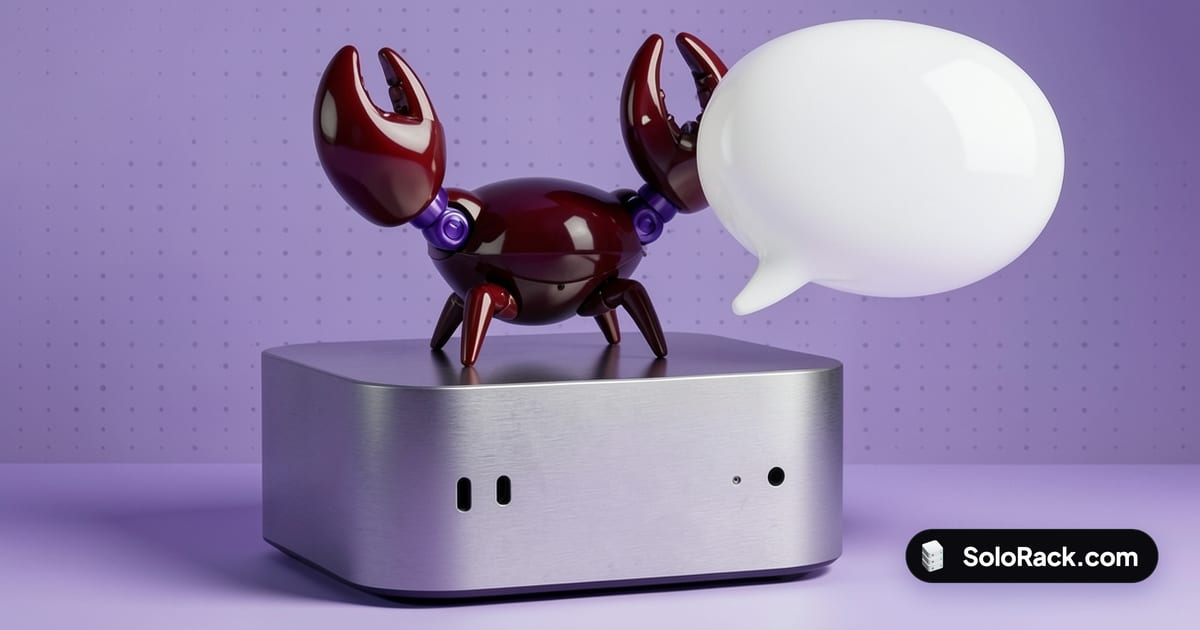
If you use ChatGPT, you have probably seen OpenClaw mentioned and wondered what it adds. This comparison sticks to what each project says about itself: OpenClaw’s documentation and GitHub repository, and OpenAI’s pricing page and help centre.
The difference in one paragraph
ChatGPT is a product. OpenAI builds the models, hosts them and gives you an app to talk to them. OpenClaw is not a model at all. Its docs describe it as an open-source assistant that runs on your own hardware: a self-hosted Gateway that connects the chat apps you already use to an AI model of your choice, and gives that model tools on the machine where it runs.
Where each one runs
ChatGPT runs on OpenAI’s systems. You sign in, your message travels to OpenAI and the answer comes back. Its agent features follow the same pattern: the help centre says Work on web and mobile runs in the cloud, and OpenAI’s docs describe dots, its always-on agents, as living in the cloud with a computer and a browser that OpenAI provides.
OpenClaw runs where you install it. One long-lived process, the Gateway, holds everything together: according to the architecture page it owns the connections to your chat apps and your sessions, and by default it listens only on the machine itself (127.0.0.1, port 18789). The installer supports macOS, Linux and Windows. What matters is that you choose the machine and you hold the keys to it.
How you reach it
ChatGPT is a place you go to. OpenAI’s pricing page lists access on web, iOS and Android, and there is a desktop app.
OpenClaw comes to the apps you already have open. Its docs list Telegram, WhatsApp, Discord, Slack, Signal, iMessage, Google Chat, Microsoft Teams, Matrix and many more, and several channels can run at the same time. The docs name Telegram as the fastest channel to set up, because it only needs a bot token. There is also a browser dashboard, the Control UI, and a menu bar app on the Mac.
By default an unknown sender gets a pairing code instead of an answer. You approve your own account once, and strangers who find your bot cannot use your agent.
What it can touch
OpenClaw’s tools act on the machine where the Gateway lives:
- Files. The agent reads, writes and edits files in its workspace.
- Shell. The
exectool runs commands. The docs say sandboxing is off by default, so commands run on the Gateway host; you can turn on a sandbox or a stricter approval mode. - A browser. OpenClaw can run a dedicated browser profile that the agent controls, separate from your personal one: it opens tabs, reads pages, clicks, types and takes screenshots.
- Scheduled jobs. The Gateway’s scheduler stores jobs, wakes the agent at the right time and can deliver the result to a chat channel.
That is real power, which is why the OpenClaw README says to treat every inbound message as untrusted input. It is also why the machine matters: whatever the agent does, it does there. The settings that keep it in check are in our guide to securing OpenClaw on a Mac mini.
ChatGPT works on OpenAI’s side by default. The help centre says Work on web and mobile cannot directly access files on your computer; in the desktop app it can use local files and desktop apps with your permission. A dot can use a connected local computer too: that access starts turned off, and the computer has to be online with the ChatGPT app open. ChatGPT also has scheduled tasks, and the help centre caps the number of active ones by plan, for example 5 on Plus and 15 on Pro.
Memory and where your data lives
ChatGPT keeps saved memories and can refer to past chats. They are kept on OpenAI’s systems, and you view or delete them under Settings > Personalization > Memory. For personal accounts, the memory FAQ says chats and remembered information may be used to improve OpenAI’s models while the model-improvement setting is on; you can turn it off in Data controls.
OpenClaw remembers by writing plain Markdown files in the agent’s workspace, by default ~/.openclaw/workspace: MEMORY.md for lasting facts and decisions, and dated daily notes in a memory/ folder. The docs put it simply: the model remembers only what is saved to disk, and there is no hidden state. You can open those files in any editor, change them, copy them or delete them. The README adds that state, memory and credentials live on your hardware.
One thing to know: when you connect a cloud model, the text of each request goes to that provider to be answered. With a local model the request is processed on the machine itself, and the OpenClaw docs call local-only the strongest privacy path.
Which AI model answers
ChatGPT uses OpenAI’s models, and your plan decides which ones and how much.
OpenClaw uses the model you connect. You set the default as provider/model, and the providers page lists dozens: Anthropic, OpenAI, Google, Mistral, DeepSeek, OpenRouter and more, plus local runtimes such as Ollama, LM Studio and llama.cpp. Switching model is a setting; the agent, its memory and its chat channels stay the same.
On a Mac mini M6 with 16 GB of memory, the smaller local models are the comfortable fit. Our guide to the best local models for OpenClaw on a Mac mini lists the ones that fit.
What it costs
OpenClaw itself is free. It is MIT licensed, and the README says the project has no paid tier, no hosted service and no token. You pay for two things:
- The model. Usage is billed by the provider you connect. A model that runs locally on the machine has no bill per request.
- The machine that stays on. On SoloRack a dedicated Mac mini M6 costs $112 a month, which is $3.73 a day.
ChatGPT is sold as plans. OpenAI’s pricing page lists Free, Go, Plus and Pro for individuals, plus Business and Enterprise, and that page has the current prices. OpenAI’s docs say dots are rolling out to eligible Pro and Business Premium accounts, and the help centre says they are not currently available in the European Economic Area, the UK or Switzerland.
Side by side
| ChatGPT | OpenClaw | |
|---|---|---|
| What it is | OpenAI’s assistant, run as a service | Open-source software (MIT) that you run |
| Where it runs | OpenAI’s systems | A Gateway on a computer you control |
| How you reach it | Web, iOS, Android, desktop app | Your chat apps, plus a web dashboard |
| What it works on | OpenAI’s cloud; local files through the desktop app, with permission | Files, shell, browser and scheduled jobs on its own machine |
| Memory | On OpenAI’s systems, managed in Settings | Markdown files in a folder on your machine |
| AI model | OpenAI’s models | The one you choose, cloud or local |
| Cost | A plan from OpenAI’s pricing page | Free software; you pay for the model and the machine |
| Always on | Dots, in OpenAI’s cloud, on eligible plans and regions | Yes, for as long as its machine stays on |
They are not exclusive
Nothing forces a choice. OpenClaw’s docs list OpenAI among its providers: you connect it with an API key billed per use, or by signing in with a ChatGPT/Codex subscription. So an OpenClaw agent can answer with OpenAI’s models, and you can move it to another provider or to a local model later without rebuilding anything. The agent, its files and its memory are yours; the model is a part you can swap.
Why an agent like this needs a machine that is always on
A chat window can be closed without losing anything, because nothing was running on your side. An agent is different. The Gateway is a process, and everything depends on it being up: the Telegram message you send from the train gets an answer, the job scheduled for 7 a.m. fires, the browser task you started finishes.
When the machine sleeps, gets switched off or loses its connection, all of that stops. Messages wait and scheduled jobs do not run.
So the question after OpenClaw or ChatGPT is a practical one: where will the Gateway live? The computer you work on travels with you and goes to sleep. A machine at home shares your connection and your power socket. An agent that has a shell and a browser is also better off on a computer of its own, apart from the one that holds your personal life. The OpenClaw docs describe one trust boundary per Gateway, and a separate machine draws that line for you.
Why a dedicated Mac mini in the cloud fits
- It stays on. The Mac is powered in a datacenter, so the Gateway keeps answering while your own computer is off.
- The whole machine is yours. One customer per Mac, never a shared virtual machine. Your agent, its workspace and its logins sit on hardware nobody else uses.
- Full admin rights. Node.js, which the Gateway needs, is already installed, and you can add Homebrew, a local model runtime or anything else the agent uses.
- SSH and remote desktop. You get the terminal and the full macOS desktop. The Gateway stays private on the Mac, and you reach its dashboard through your SSH connection.
- It comes back by itself. After a restart the Mac logs you back in automatically and the Gateway starts again with your session.
- Room to work. Apple M6 with a 12-core CPU, 16 GB of memory, a 256 GB SSD and a 1 Gbit/s link, in the datacenter closest to you among those available when you book.
Running agents like OpenClaw around the clock is explicitly allowed on SoloRack for development and automation work; it is written in our acceptable use policy. Because the agent’s memory is plain files, you can download its workspace whenever you like. Do it before a rental ends: at that point your account and files are erased from the Mac, and no copy is kept.
The full setup, from the first login to a locked-down agent you message from your phone, is in How to run OpenClaw 24/7 on a cloud Mac mini.
Give your agent a Mac that stays on
Rent a Mac mini M6 from SoloRack and put OpenClaw on a machine that is yours alone: from $3.73 a day on the monthly plan, $112 a month, VAT included where it applies. The plan renews on its own until you turn renewal off in My account. All plans are on the pricing page.